Agent permissions
When Copilot or an external agent acts inside Cortiq, three independent permission surfaces decide what runs freely, what asks once, and what asks every time. This page explains all three, how grants surface as actionable cards, and where you manage them.
What this is
Section titled “What this is”Cortiq treats its own tools as trusted but treats the wider machine as untrusted. An agent can author playbooks and data packages without asking, but it cannot reach outside its sandbox or place a real order without crossing a gate.
There are three distinct surfaces:
- The trade-execution gate — always on, for opening and closing real positions.
- The ACP filesystem sandbox — bounds a local agent’s built-in file and shell tools to allowed folders.
- The capability grant store — remembers one-time decisions for an ACP agent’s web, out-of-sandbox filesystem, and shell access.
How it fits into Cortiq
Section titled “How it fits into Cortiq”| Surface | Covers | Default behavior |
|---|---|---|
| Trade-execution gate | execute_trade, execute_trade_action | Always prompts; runs only on explicit approval. |
| Filesystem sandbox | An ACP agent’s built-in file / shell tools | Auto-allows inside the allowed roots; asks when a path is outside them. |
| Capability grant store | ACP web, out-of-sandbox read/write, shell | Asks once, then remembers; sensitive capabilities always ask. |
The trade-execution gate
Section titled “The trade-execution gate”Every real trade an agent attempts — open, modify, partial-close, close, cancel — passes through the trade gate. In the trusted-Cortiq posture, only execute_trade and execute_trade_action require approval; everything else (create / update / delete entities, generate, link) runs without a card.
When a trade tool fires, Cortiq raises an approval card in the Copilot dock, a Windows toast, and an actionable System Messages row. The trade body runs only on an explicit approve. A reject, expiry, timeout, or error denies it — fail-closed. This gate is independent of every other surface on this page and cannot be turned off by a capability grant.
The ACP filesystem sandbox
Section titled “The ACP filesystem sandbox”When Copilot runs on a local ACP agent (Claude or Codex), that agent has its own built-in file-read, file-write, and shell tools. Cortiq sandboxes them to a set of allowed roots — by default the Cortiq project folder and the app’s data directory.
Inside those roots, the agent works freely with no prompt. The moment it points a tool at a path outside the roots — or runs a shell command with no resolvable path — Cortiq classifies the request and hands it to the capability grant store below. You only get asked when the agent reaches beyond its sandbox.
The capability grant store
Section titled “The capability grant store”The grant store persists your decisions so a capability is granted once and auto-allowed on every future call, in any session. It exists so an agent doing legitimate web research doesn’t re-prompt — or hang unattended — on every call.
| Capability | What it covers | Auto-mode eligible |
|---|---|---|
| Web | The agent’s built-in web fetch / search tools | Yes — can auto-allow unattended |
| Filesystem (read, outside sandbox) | Reading a path outside the allowed roots | No — always asks |
| Filesystem (write, outside sandbox) | Writing a path outside the allowed roots | No — always asks |
| Shell | A shell or command with no resolvable path | No — always asks |
Auto-mode
Section titled “Auto-mode”Auto-mode (on by default) governs only the safe capability — web access. With auto-mode on and no one watching the screen, an ungranted web request auto-allows so a long-running agent never stalls, and the grant is recorded as an audit-trail entry. Turn auto-mode off and every ungranted capability prompts until you grant it explicitly, even web.
Sensitive capabilities — filesystem outside the sandbox, shell — always require your decision regardless of auto-mode. Auto-mode has no effect on trade execution; the trade gate is orthogonal.
How a grant surfaces
Section titled “How a grant surfaces”When a capability needs your decision, Cortiq raises it three ways at once:
- An action card in the Copilot dock.
- A Windows toast.
- An actionable Allow / Deny row in the System Messages inbox.
Resolving any one of them resolves the request. On Allow, Cortiq records the grant and the agent proceeds. On Deny — or if you leave it and the agent’s turn times out — the request fails closed.
Manage permissions in Settings
Section titled “Manage permissions in Settings”The Agent permissions section of the Settings page is where you control all of this:
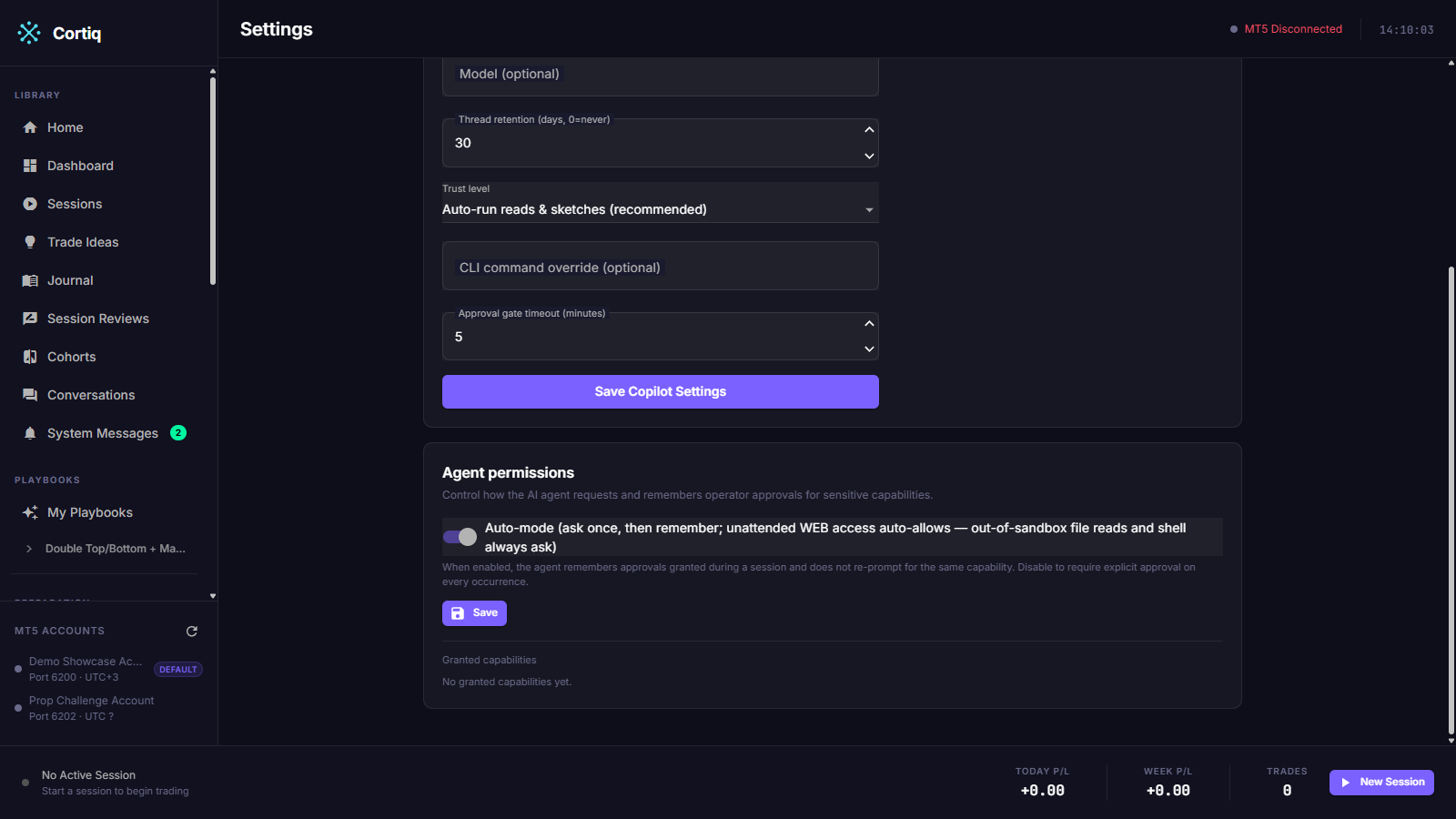
- Auto-mode toggle — turn unattended auto-allow for safe capabilities on or off.
- Granted capabilities list — every grant with its capability, when it was granted, and its source. Each row has a Revoke button; revoking removes the grant, and the next request re-prompts (or auto-allows again if auto-mode is on and the capability is safe).
Reference
Section titled “Reference”| Term | Meaning |
|---|---|
| Allowed roots | The folders an ACP agent’s built-in file/shell tools may touch without asking. |
| Grant | A remembered decision that auto-allows a capability on future calls. |
| Source | How a grant was created — an operator card or unattended auto-mode. |
| Fail-closed | A denied, expired, or timed-out request never runs the tool. |
What to read next
Section titled “What to read next”- Cortiq Copilot — the assistant these permissions govern.
- System messages — where permission requests surface as actionable cards.
- MCP and agent integration — the same trade gate from an external client.